Search / Field note
Design the search that finds nothing
Keep the query, explain the state and offer a relevant next step when a catalogue search returns no matches.
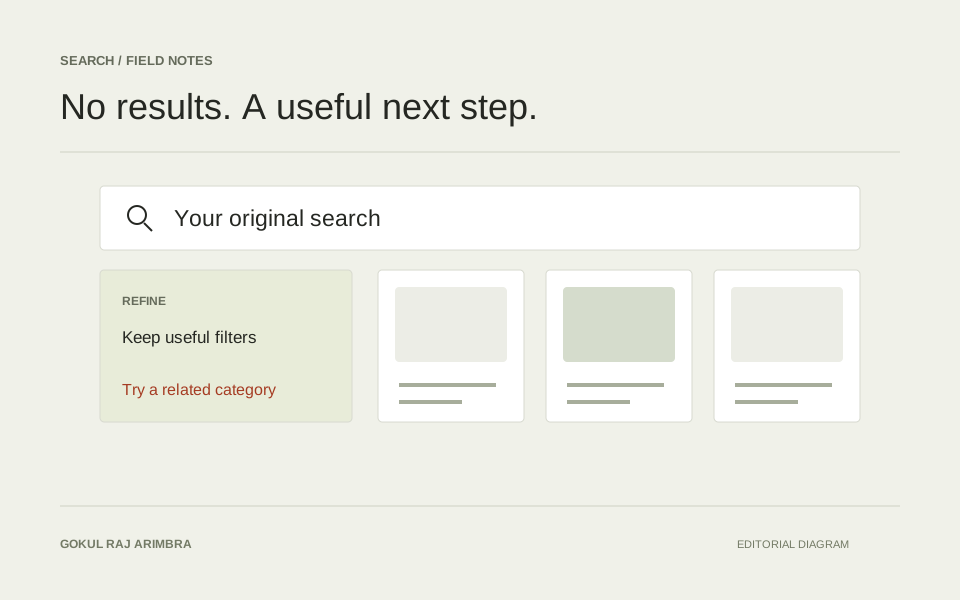
A search with no results is still a conversation with someone who has expressed an intention. They may have used an unfamiliar term, selected conflicting filters or asked for something the catalogue does not contain. The interface should help them understand which problem they have encountered.
“No results” is a useful status, but it is rarely a complete response. The design work begins with preserving the context that brought the person there.
Keep the original question visible
Leave the query in the search field and show the active filters nearby. A person should not need to remember what they selected or reopen several panels to understand why the list is empty. Make editing the query and removing one filter straightforward.
For a hypothetical electronics catalogue, a search for a compact laptop may become empty only after a particular condition and screen-size combination is selected. Clearing every choice at once would lose useful intent. Let the person relax one constraint while keeping the others.
Explain the state without guessing the cause
Say what the system knows. “No products match these filters” is more precise than “We don't sell that” when the catalogue might contain a relevant product outside the current selection. If results could not load because of a connection problem, describe that separately from a successful search with zero matches.
Avoid implying that a spelling suggestion is certainly correct. Offer it as another query the person can choose. Keeping the original wording visible makes that suggestion reversible and easier to understand.
Give each recovery action a clear purpose
Choose a few relevant next steps. These may include removing the last filter, browsing a related category or trying a suggested phrase. A large panel of unrelated bestsellers can make the page look occupied without helping with the actual request.
Label the search field and filter controls properly, including compact mobile versions. W3C's form guidance describes the relationship between labels and the purpose of a control. A disappearing placeholder is not a dependable replacement for that relationship. W3C's guidance on labelling controls
Keep the layout stable through the transition
Review the move from results to loading to an empty state. The search field and filter controls should remain in familiar positions. If the entire page collapses when the result count reaches zero, the recovery action can move just as someone tries to use it.
Use enough space for the explanation without pretending that empty product cards are real results. When results return, preserve the person's place where possible and make the updated count easy to identify.
Learn from the queries that recur
Review repeated empty searches alongside the catalogue vocabulary. They may reveal a missing synonym, an unclear product name or a range that visitors expect but the business does not offer. Each possibility suggests a different response.
Do not measure success only by eliminating empty pages. Returning loosely related products for every query can reduce the count while making search less trustworthy. The useful objective is a clearer route from the person's intention to an honest, relevant next step.